

Most people type with things they tolerate. We looked for boards you won’t hate by Thursday.
Here’s the stuff we actually liked.
The Oddballs That Work
Happy Hacking Keyboard Classic Type-S costs $264. Yes, it’s wired. No, there aren’t any RGB lights to distract you from the fact that you just paid three months’ rent for plastic. Topre switches, though. They feel like pressing buttons on a high-end calculator that respects your intelligence. The community mods these things to pieces, fixes them, makes them yours. You might as well buy the ticket. It could outlive your job.
“Pricey? Absolutely. Worth it for the tactile click that isn’t a switch?” Maybe.
Wooting 80HE ($200). It’s older tech than the 60HE. Doesn’t matter if you need F-keys and arrows. The magnesium case feels like it belongs on a spaceship, not a desk. Wootility software is simple, which is rare. You get what you pay for here, plus durability.
Value Kings (Is There Such A Thing?)
Keychron C1 Pro 8k for $55. How? I genuinely don’t get the math. Mechanical switches, PBT keycaps that don’t shine like a mirror, an 8k polling rate, and it doesn’t even wirelessly transmit your secrets. The Super Banana switches pop. The tray mount stays put when you mash keys like you’re late for a bus. No wireless. That’s it. The only flaw in the entire universe.
The Logitech Lineup (They Know How To Make Things)
Logitech makes reliable stuff. It’s boring in a good way.
- Pro X TKL ($190). Clicky Black switches feel like tiny thunderstorms in your hands. The aluminum trim adds weight without adding clutter. A volume wheel that doesn’t rattle? A luxury. You miss the numpad if you use it. Most don’t.
- Pro X 60 ($130). Same guts, smaller shell. They shoved the volume wheel and connectivity buttons to the edge so you keep the compactness but don’t lose function. Smart move.
- Pop Keys ($100). Bright. Cheerful. Pairs with three devices. Switching between PC and Mac doesn’t feel like changing operating systems, just pressing a button. If your desk is beige, this fixes that.
- MX Keys S ($130). Low-profile. Chiclet keys that actually feel nice. Proximity sensors wake the backlight before your fingers land, which saves battery because people always forget to turn the light off. Supports both layouts clearly.
- MX Mechanical ($180). Also three devices. Extra buttons near the numpad launch calc or lock screens. Useful when you hate clicking away from what you’re doing.
Gaming Boards That Aren’t Plastic Trash
Turtle Beach Vulcan II TKL ($150). Two LEDs per key. Hall effect switches mean fewer physical clicks to degrade over time. Clicky still, but magnetic magic handles the wear. Volume knob has texture. I like texture.
Corsair K65 ($110). Seventy-five percent layout. Light enough to travel, stiff enough to not flex when you type fast. USB-C or Bluetooth. Swap any keycap or switch using the included tool. That metal wheel up top is just there, but you’ll use it.
Razer Huntsman Mini ($90). Sixty percent. Gone: Numpad. Arrow keys. Left: Space, keys, speed. It saves desk space for your mouse hand, which matters more in FPS games than you think. Razer makes custom cap sets if you get bored with black plastic.
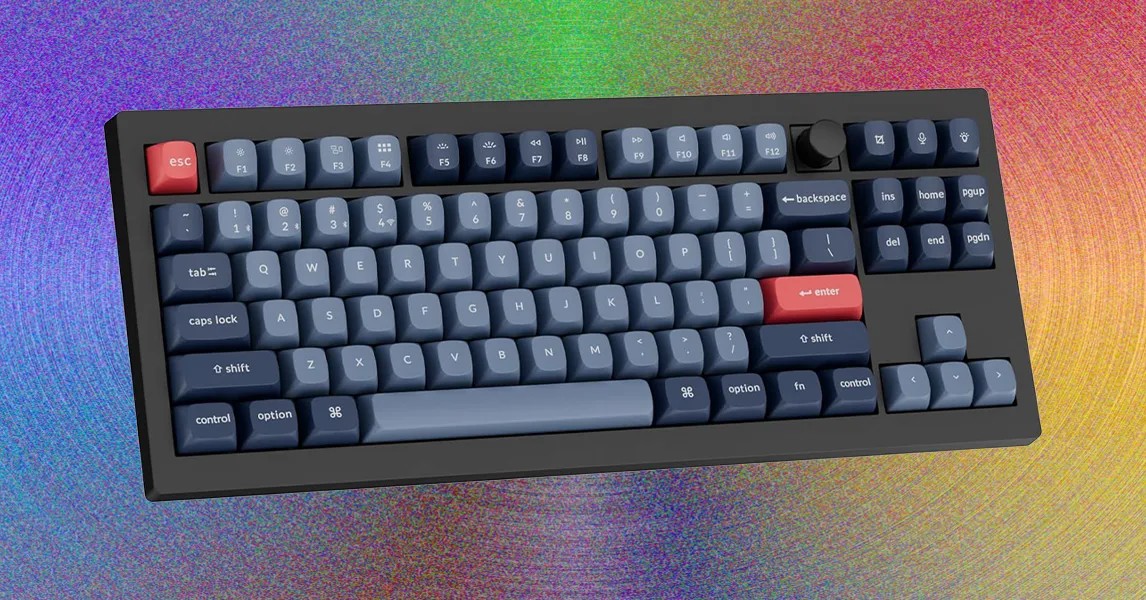
Keychron Q1 Hall Effect ($240). Rapid trigger features let you spam a direction key without pulling up your finger completely. Good for twitch shooters. Hall effect customization lets you make keys super sensitive or dull depending on your mood. It’s expensive. You’re paying for precision.
The Entry-Level Options (No Fear)
NZXT Function 2 ($110). Optical switches. Comes with spares that feel different so you can mix them up. Helpful for Overwatch mains tired of miscasting ultimates with sweaty fingers. Left-side volume roller feels soft. Good start for people who see “actuation point” and panic.
Razer Huntsman V3 TKL ($160). Analog optical switches. Programmable macro buttons aren’t hidden behind software layers; they sit on the board. Hold FN and tap to switch profiles: Racing. FPS. High-Sens. The wrist rest sticks on magnetically, so it won’t roll away during intense matches.
BlackWidow V4 ($130). Metal casing. Hot-swap. Synapse software works. The 8k polling rate might be marketing, or it might be real, but the compact layout leaves room for wide mouse movements. Headshots benefit from square inches.
SteelSeries Apex Pro ($199). Adjustable switches per key. You want heavy resistance for space bar but feather touch for W? You can do that. Little LED display shows time, volume, whatever SteelSeries feels like pushing that week. A bit gimmicky, but effective if you love tweaking.
Corsair K100 ($325). Standard board until you look top left. Control wheel handles media, lighting, macros. I tried scrubbing Premiere Pro timeline and it refused. Frustrating. But handy otherwise. If you can ignore the software quirks, it’s a solid powerhouse.
Which Ones Should You Skip?
We stopped writing here because the bad keyboards sell themselves on looks alone. Look closer at the switches. Check the weight. Avoid the plastic that cracks if you look at it sideways.