




Choosing between Apple’s laptops often comes down to a single question: How much of your life will happen on this screen?
With a $500 price gap separating the budget-friendly MacBook Neo from the high-performance MacBook Air, the decision isn’t just about hardware specs—it’s about whether you are buying a secondary device or your primary workstation.
The Core Distinction: Primary vs. Secondary Use
The easiest way to decide is to evaluate your daily routine.
- The MacBook Air is designed for those who work on their laptop for eight or more hours a day. It is a “do-everything” machine built to handle heavy multitasking and professional workflows.
- The MacBook Neo is a specialized, entry-level option. It is ideal for students, travelers, or those who already have a powerful desktop or work PC and simply need a lightweight device for weekends, evenings, or light browsing.
Design and Portability: Aesthetics vs. Functionality
While both laptops are highly portable, they cater to different sensibilities.
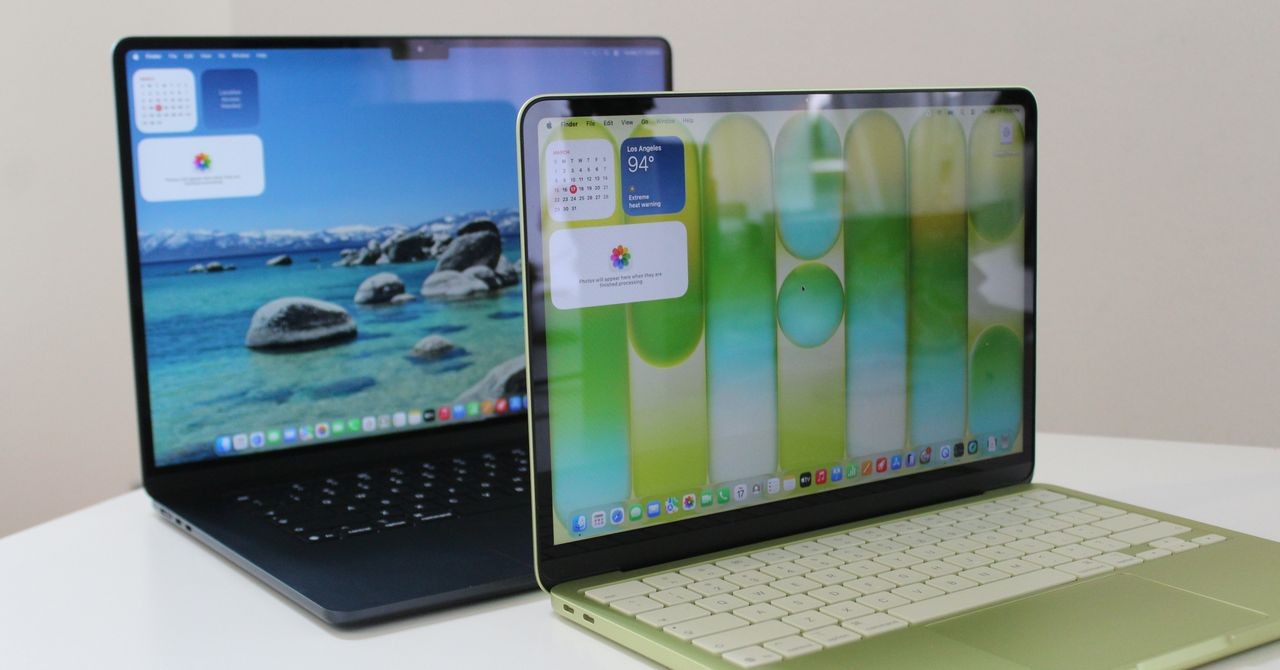
The MacBook Neo offers a more “playful” aesthetic. It moves away from the strictly professional look of the standard MacBook lineup, featuring rounder edges, white keycaps, and vibrant color options like Citrus and Indigo. Notably, it lacks the “notch” found in many modern MacBooks, providing a cleaner screen look, though at the cost of slightly larger bezels.
The MacBook Air maintains the classic, sleek Apple silhouette. While the physical dimensions and weight are nearly identical, the Air offers a superior user experience through its hardware:
* Trackpad: The Air uses a haptic feedback system that provides a consistent, quiet click across the entire surface, whereas the Neo relies on a louder, mechanical click.
* Display & Audio: While both have high-quality screens, the Air features a superior four-speaker system and a more advanced 12-megapixel webcam, making it better for video calls and media consumption.
Performance: The “A-Series” vs. “M-Series” Gap
The most significant technical divide lies under the hood. This is where the $500 difference becomes most apparent.
The Memory Bottleneck
The MacBook Neo uses the A18 Pro chip (typically found in iPhones). While capable, it is paired with only 8GB of RAM with no option to upgrade. In an era where macOS uses significant memory for background AI tasks, 8GB can quickly become a limitation if you open dozens of browser tabs or multiple applications simultaneously.
Conversely, the MacBook Air utilizes the M5 chip, which is significantly more powerful. Crucially, the Air starts with 16GB of RAM, providing the headroom necessary for multitasking, creative work, and gaming.
Connectivity and Expansion
For users who want to build a workstation, the MacBook Neo presents several hurdles:
1. Ports: The Neo is limited to two USB-C ports, one of which is an outdated USB 2.0 standard—meaning file transfers will be noticeably slow. The Air includes MagSafe 3 charging and faster Thunderbolt 4 ports.
2. External Displays: The M5 MacBook Air can drive up to two 5K monitors. The Neo is limited to a single 4K display.
3. Storage Speed: The Air’s internal SSD is significantly faster, impacting how quickly the system boots and apps load.
Summary Comparison
| Feature | MacBook Neo | MacBook Air (M5) |
|---|---|---|
| Best For | Students & Casual Users | Professionals & Power Users |
| Processor | A18 Pro (Mobile-class) | M5 (Laptop-class) |
| Base RAM | 8GB (Non-upgradable) | 16GB |
| Trackpad | Mechanical Click | Haptic Feedback |
| Ports | 2x USB-C (inc. USB 2.0) | MagSafe + 2x Thunderbolt 4 |
| External Displays | 1x 4K Monitor | Up to 2x 5K Monitors |
The Bottom Line: If you need a reliable, long-term computer that can handle almost any task you throw at it, the MacBook Air is the superior investment. However, if you are looking for an affordable, colorful, and highly portable device for light tasks or supplemental use, the MacBook Neo offers excellent value.